Preview a bead pattern in 3D before you start weaving
Move from the working chart to a finished-form view in one click. Rotate the piece, inspect how a repeat wraps, compare bead finishes, and revise the pattern while changes are still easy.
Start designing free
No download or credit card required
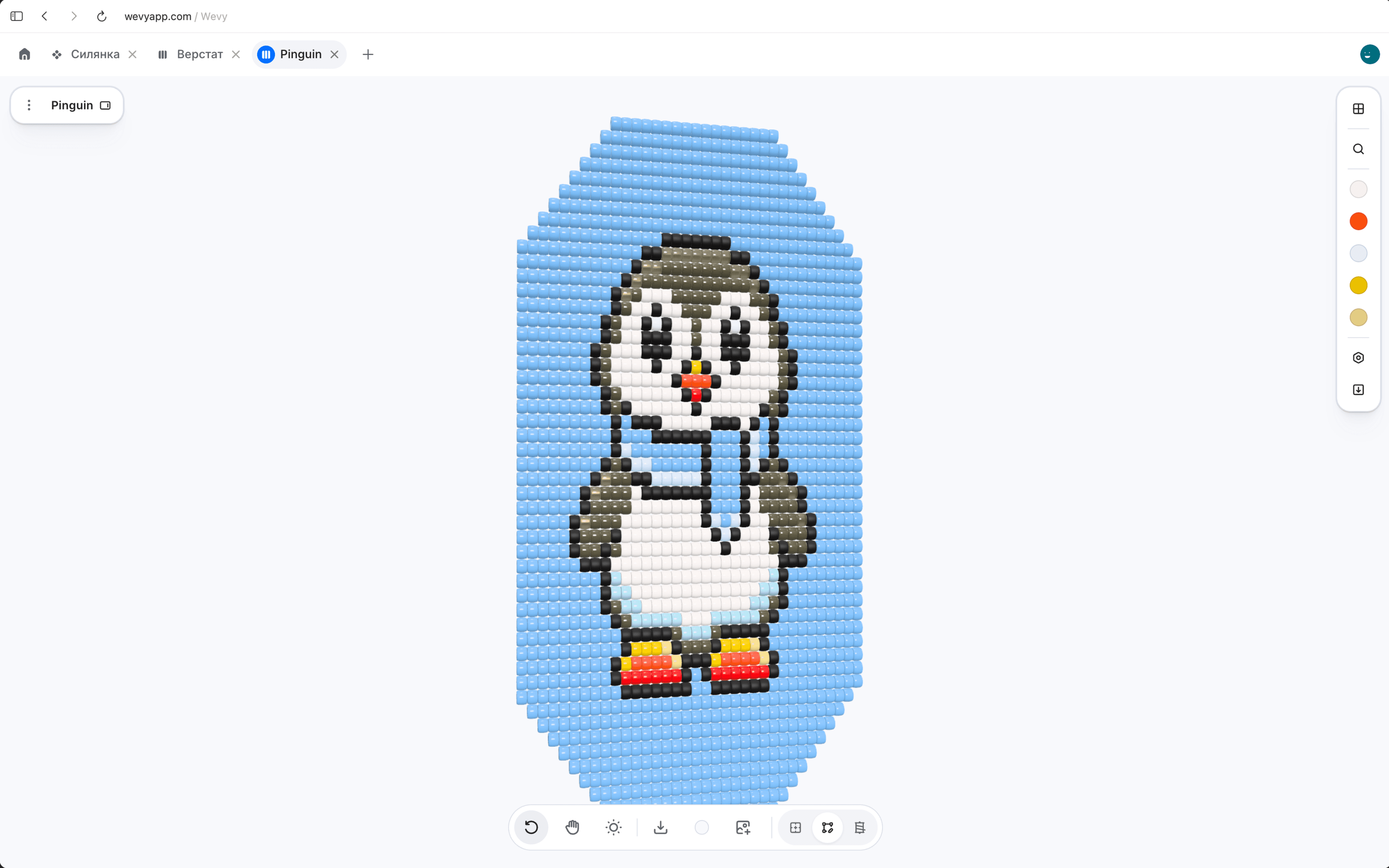
See flat beadwork as a panel, sylianka as linked mesh, and bead crochet as the spiral rope it will become.
Rotate and inspect. Drag to turn the piece, then scroll or pinch to check a repeat, edge, join, or color transition.
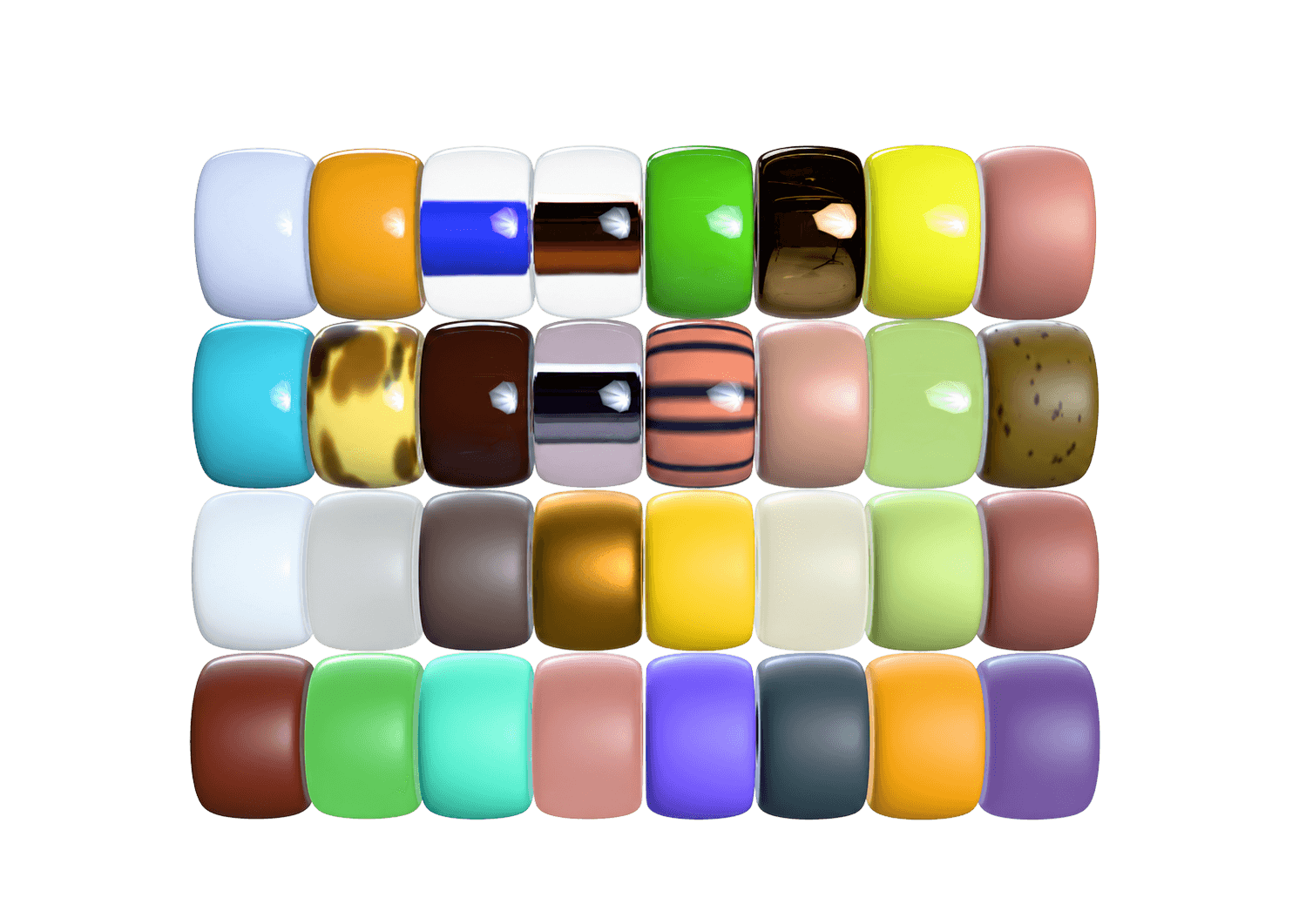
Preview bead finishes. See how matte, luster, silver-lined, transparent, and other catalog finishes respond to light.
Test a background. Choose a background color or photo to judge the beadwork against skin, fabric, or display styling.
The same chart becomes a structure-aware preview, so the view reflects the beadwork you are actually planning.
Flat loom and square stitch. Inspect bead proportions, motif scale, edges, and the overall balance of a flat panel.
Bead crochet rope. See the flat draft wound into a spiral tube or bent into a bracelet, with circumference and thread order preserved.
Sylianka diamond mesh. Preview the linked lattice as open mesh instead of a solid rectangle, including its repeated diamond structure.
Use 3D as a design check between drawing the chart and committing beads, thread, and time.

Build the chart
Draw with real catalog colors and keep every bead attached to the pattern geometry.
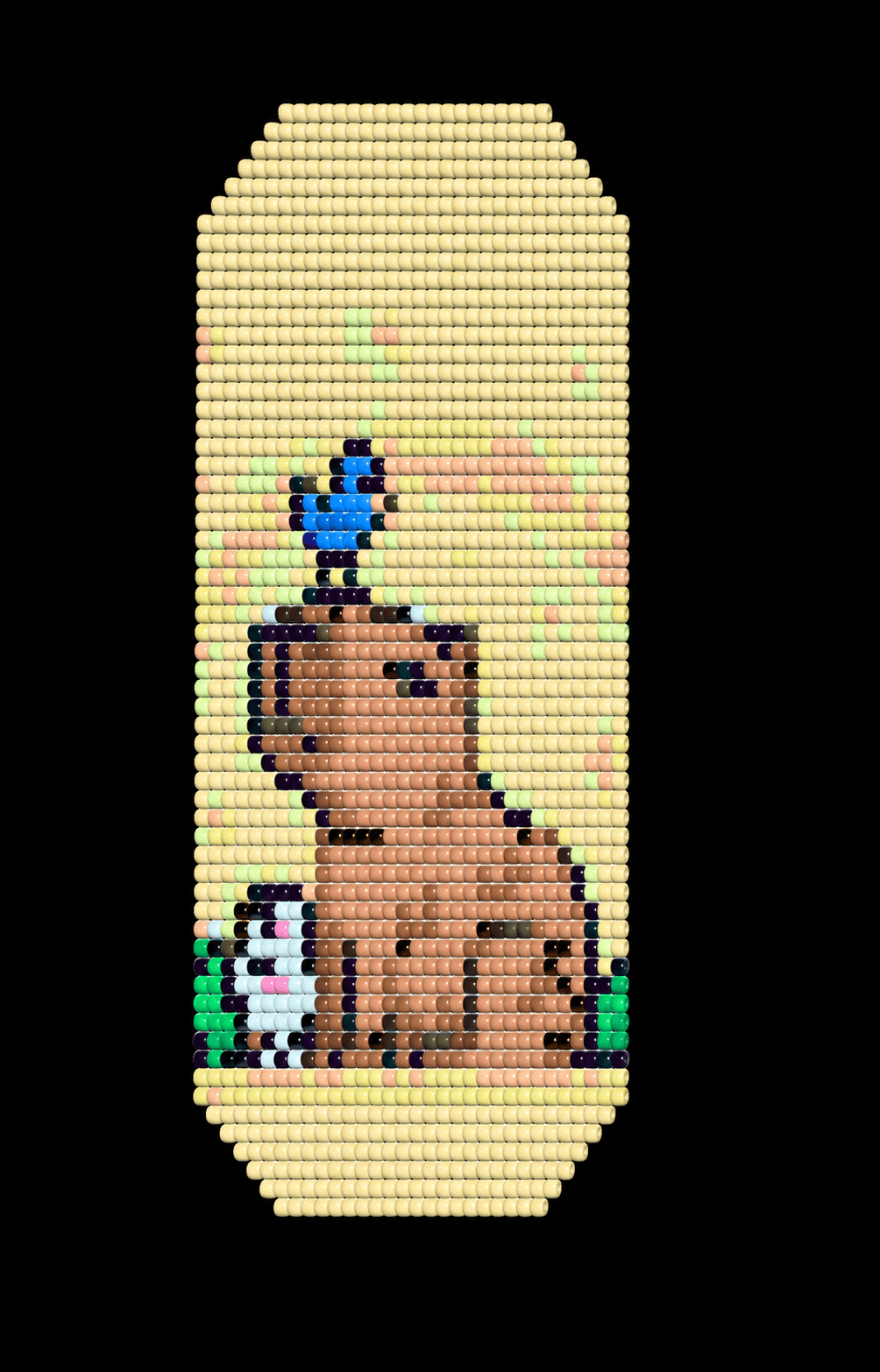

Inspect the finished form
Rotate, zoom, adjust the view, and look for scale or repeat problems hidden by the flat draft.
Return and revise
Switch back to the canvas, change the beads that need work, and reopen the updated preview.
Answers about 3D bead previews, bracelet and rope views, finishes, backgrounds, and PDF export.
Can I preview my bead pattern in 3D?
Yes. Wevy renders the beads from the current chart in a finished-form view that you can rotate and zoom.
Can I preview a bead crochet rope as a bracelet?
Yes. A rope pattern can be shown as a straight spiral tube or bent into a bracelet while keeping the draft's circumference and repeat.
Does 3D preview support loom and sylianka patterns?
Yes. Loom work appears as a flat bead panel, and a sylianka appears as its linked diamond mesh.
Does the preview show seed bead finishes?
Yes. The renderer distinguishes bead shape, shine, and catalog finishes such as matte, luster, transparent, and silver-lined.
Can I change the 3D background?
Yes. Set a background color or use your own photo to compare the piece against skin, clothing, fabric, or product styling.
Can I include the 3D preview in a PDF pattern?
Yes. Paid export plans can add a finished-form 3D preview page to the printable PDF.